My Selftape App
Apps For Actors Inc.Video Players & Editors
3.111.00 Reviews
- Version
- 0.0.0.593
- Installs
- 10.00K
- Age Rating
- Everyone
Screenshots
Our Review of My Selftape App
 Analysis by Appyee
When I need to make a self-tape without turning the process into a small production project, I want the phone to handle the practical work: recording, making basic adjustments, encoding the result, and preparing it to send. That is the promise behind My Selftape App, a free video tool from Apps For Actors Inc. aimed at actors who need a focused way to create audition material.
I approached it less like a general video editor and more like a specialist utility. That distinction matters. This is not the kind of app I would choose for social-media montages, elaborate music videos, or detailed color work. Its appeal is the possibility of keeping a self-tape workflow in one place instead of switching between the camera, an editor, a converter, and a sharing method.
The app sits in the Video Players & Editors category, is rated for Everyone, and works on Android devices running version 6.0 or later. It is free to install, although in-app purchases range from around five dollars to around twenty dollars per item. That combination makes it easy to try, but I would still check which parts of the workflow are included before depending on it for an urgent audition.
How My Selftape App feels during a normal recording workflow
In a normal session, I’d treat the app as a focused route from a recorded performance to a file ready to send, rather than as a full editing studio. I’d first make a brief test, check the result, and only then move on to the complete scene; that small rehearsal can expose workflow snags before they matter. Next, I’d pay attention to where the finished take goes and how to keep it distinct from retakes.
Starting quickly is the main attraction
The strongest idea here is concentration. A self-tape usually has a simple goal: frame yourself, deliver the scene, review the result, and send a usable file. A dedicated app can reduce the temptation to wander through unrelated editing tools. In my experience, that kind of narrow purpose is more valuable than a long feature list when a casting deadline is close.
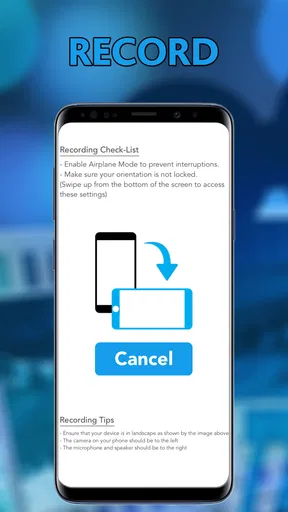
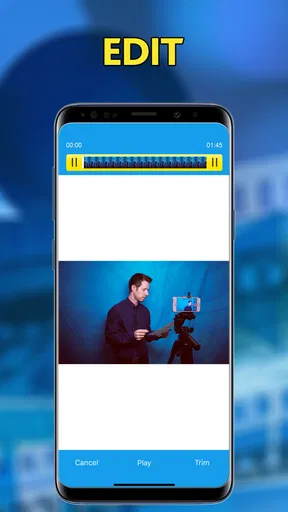
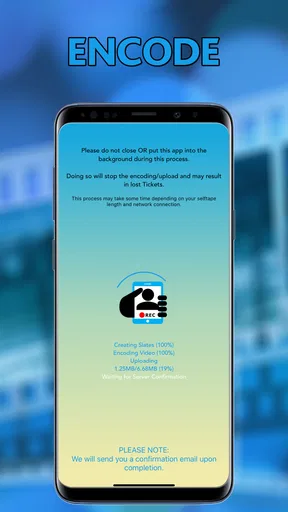
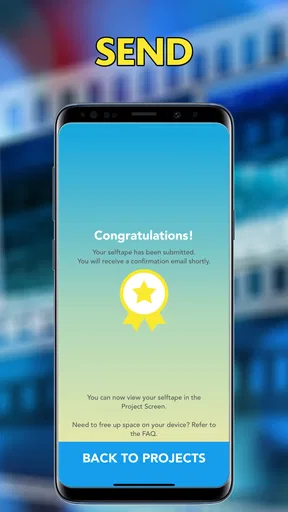
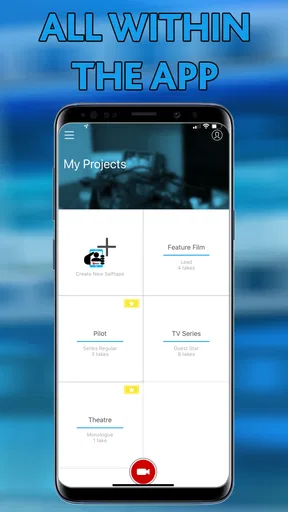
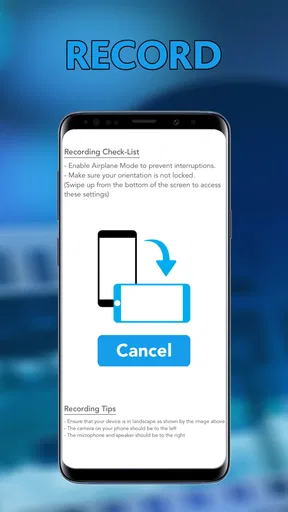
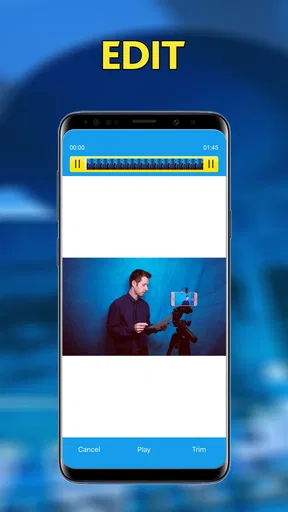
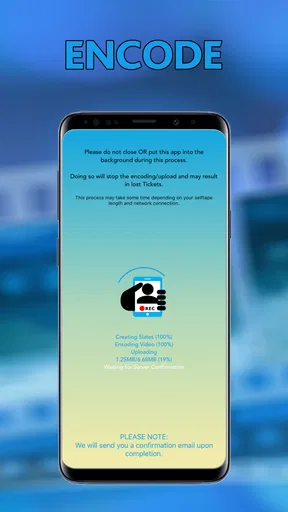
The store summary presents the workflow as recording, editing, encoding, and sending inside the app. I read that as a practical all-in-one approach rather than a promise of professional post-production. The likely speed advantage comes from fewer handoffs. Every time a video moves between applications, there is another export screen, another file-selection step, and another opportunity to choose the wrong version.
That does not mean every task will feel instant. Video work depends heavily on the phone, the length of the take, and the output being prepared. Recording a short audition should be a lighter job than processing a long scene, especially on an older device. I would begin with a short test take before recording the final performance, not because the concept is complicated, but because self-tapes are too important to leave the workflow untested.
What I would prepare before pressing record
I would first clear enough storage for the original take and any edited or encoded copy. A self-tape workflow can temporarily need more room than the final file alone, particularly if the app keeps an original while preparing another version. I would also close unrelated apps, connect the phone to a stable power source if the session may be long, and place the device where the framing will not need to be changed between takes.
One useful habit is to record a short opening and closing check before doing the complete scene. I would watch that sample for framing, sound, orientation, and the general appearance of the encoded result. This is a better use of time than assuming the final export will behave exactly like the live camera preview.
Another practical tip is to keep the original take until the submission has been accepted. An all-in-one editor is convenient, but convenience can encourage people to overwrite or delete the source too early. Keeping a clean original gives me a recovery option if an edit feels rushed or if I later discover that the selected version was not the right one.
Where it can save time, and where it may not
The app makes the most sense when the required changes are modest. If I only need to trim a beginning, remove an ending, prepare the file, and send it, a focused self-tape tool may be quicker than opening a full editor. The narrower workflow can also help a beginner avoid confusing timelines, layers, filters, and export profiles designed for completely different types of video.
On the other hand, I would not assume that a specialized label automatically means faster processing on every phone. Encoding is one of the more demanding stages of mobile video work. A device with limited memory or an older processor may take longer during that step, and heavy multitasking can make the experience less comfortable. The app requires Android 6.0 or newer, but that compatibility threshold should not be mistaken for a guarantee that every compatible phone will handle long recordings equally well.
Heavy-use moments: long takes, repeated retakes, and exports
The busiest session I can imagine is an actor recording several versions of the same scene, reviewing them, making adjustments, and preparing one or more files to send. The pressure is not only on the camera. Storage, processing time, battery use, and the ability to keep track of the correct take all become important at once.
For that kind of session, I would name each take immediately in my own notes, even if the app uses its own internal organization. I would also avoid keeping unnecessary duplicate videos on the phone. A simple routine—test, record, review, select, preserve the original, then encode—reduces the chance of processing every unsuccessful attempt and waiting through avoidable work.
Repeated encoding is another point where patience matters. If the final file needs to be prepared again after a small change, the app may need to repeat the processing stage rather than instantly updating the result. I would make all decisions first and encode only the version I intend to send. That is a small workflow adjustment, but it can make a noticeable difference during a deadline-driven evening.
Resource demands also depend on what “edit” means in the particular project. A short, lightly adjusted audition is a different workload from a long monologue with several retained takes. I would treat the phone as a compact production device, not as an unlimited workstation. Keeping the session focused and leaving free storage are sensible precautions, especially when using an older Android handset.
Reliability is more than whether recording starts
For a self-tape app, reliability has several layers. The camera must capture the performance, the recording must remain available for review, the editing stage must preserve the intended material, and the encoded file must be usable when it is time to send it. A failure at the final stage is particularly frustrating because it can happen after the performance is already finished.
My approach would be to verify the complete path before a real submission. I would make a short recording, apply the kind of adjustment I expect to use, encode it, and open the resulting file outside the editing screen if the phone allows that through its normal file or media tools. I would then confirm that the picture, sound, orientation, and beginning and ending are still correct.
This is also where recovery planning helps. I would not treat the first successful preview as proof that the job is complete. I would keep the original take, avoid deleting it until the final file has been sent, and make sure I know where the finished version is stored. If the app or device becomes unstable during a busy session, those habits give me a way to restart the preparation without re-performing the scene.
The average rating is 3.1 from around sixty ratings, with around ten written reviews, and the app has passed ten thousand installs. Those figures suggest a modest user base rather than the broad feedback footprint of a mainstream mobile editor. I would therefore judge it through a careful trial on my own device instead of assuming that its behavior on another phone will match mine.
Device constraints that deserve attention
Because the app is compatible with Android 6.0 and later, it can reach phones that are no longer close to the newest hardware. That is useful for actors who want to use an existing handset rather than buy a new one for self-tapes. At the same time, older compatible devices can differ widely in available storage, memory, camera quality, and processing ability.
The phone itself may become the limiting factor before the app does. A weak camera can affect the image more than a sophisticated editor can correct. A poor microphone position can make dialogue difficult to use. Limited free space can interrupt a recording or export. For a serious audition, I would pay attention to the physical setup—distance, lighting, quiet surroundings, and stable support—before expecting software to rescue a weak capture.
I would also avoid switching rapidly between recording and other demanding apps. A self-tape session benefits from a clean, predictable device state. If the phone is already busy with downloads, background video, or a nearly full storage area, the risk of delays and interruptions becomes harder to manage. These are not special effects or hidden settings; they are practical boundaries of using mobile video software for real work.
How it compares with ordinary camera and editing apps
The usual alternative is to record with the phone’s standard camera, edit in a general video editor, and then use whatever sharing method is convenient. That route can offer more control and may be preferable when I need advanced trimming, multiple clips, titles, audio work, or detailed adjustments. General editors are usually built for a much wider range of projects.
My Selftape App has a different potential advantage: a self-tape-oriented workflow may reduce the number of decisions between performance and delivery. For an actor who wants to keep the process simple, that focus can be more important than having dozens of creative tools. It is especially appealing when the task is a single audition rather than a polished production.
The trade-off is flexibility. If I already have a comfortable camera-and-editor routine, changing tools may not save time. If the audition instructions require a very specific format, file treatment, or presentation style, I would test the app against those requirements before committing. A general editor may be the better choice when the submission needs precise control that a focused self-tape tool does not provide.
Who will get the most value from it
I see the best fit as actors who regularly submit self-tapes and want a compact Android workflow. It can also suit someone making a first audition video who feels overwhelmed by a full editing suite. The free installation lowers the barrier to testing the process, while the Everyone rating makes it broadly approachable from an age-classification standpoint.
The app is less convincing for creators who want a multipurpose video studio. I would skip it if my main goal were cinematic editing, social content with layers and effects, or detailed sound production. I would also be cautious if my phone is short on storage or struggles with video processing, because an all-in-one workflow cannot remove the hardware demands of recording and encoding.
The in-app purchase range, from around five dollars to around twenty dollars per item, is another reason to explore the free experience carefully. I would identify which part of my intended workflow requires an optional purchase before building a routine around it. The right question is not simply whether the app is free to install, but whether the version I need for actual submissions remains practical for my use.
My performance verdict after considering the whole workflow
My Selftape App is most persuasive as a focused convenience tool, not as a replacement for every mobile video editor. Its value is in bringing the important stages of a self-tape close together: capture, adjustment, preparation, and delivery. That can make the process feel more direct and can reduce file-handling mistakes when the task is straightforward.
I would use it with a short rehearsal export first, keep the original takes, leave generous storage available, and avoid encoding unnecessary versions. Those steps address the areas where a self-tape session tends to become stressful: waiting, losing track of files, and discovering a problem after the performance is finished.
The modest 3.1 average rating and the limited install footprint mean I would not call it an automatic recommendation for every Android user. Still, the app has a clear audience. For an actor who values a simple, purpose-built route from performance to sendable video, it is worth trying. For anyone needing extensive creative control or guaranteed high-end processing on demanding projects, a more established general editor is likely the safer choice.
My final view is cautiously positive: the best reason to choose this app is workflow simplicity, not advanced editing power. If that matches the way you prepare auditions, the free download gives you a reasonable opportunity to test it on your own phone. If your needs extend beyond clean, practical self-tapes, I would keep a conventional camera-and-editor setup available rather than relying on this specialist tool alone.
The current version is 0.0.0.593, and the app was released on October 20, 2016. Those details reinforce my advice to test the exact process on the device you plan to use. A dependable self-tape is ultimately a chain of small successes, and this app is useful when it makes that chain shorter without asking you to sacrifice the control your audition requires.
Verdict
Strengths of My Selftape App
- Clear recording guidance helps users deliver consistent audition performances.
- Built-in countdowns make it easier to prepare before each take.
- Simple interface keeps the focus on recording rather than editing.
- Useful for actors who need to create auditions without studio equipment.
- Quick retakes let you compare performances before submitting a take.
Limitations of My Selftape App
- Advanced editing options may feel limited for professional productions.
- High-quality video files can use considerable storage space.
- Good lighting and a quiet environment are still needed for strong results.
- Some export or submission features may depend on the selected plan.
- Older devices may struggle with longer, high-resolution recordings.
Similar Picks in This Category
View All
Google TV
Google LLC3.9

iTunes
Apple4.7

YouTube
Google LLC3.8

MX Player
Amazon Mobile LLC4.2

CapCut - Video Editor
Bytedance Pte. Ltd.3.5

PLAYit-All in One Video Player
PLAYIT TECHNOLOGY PTE. LTD.4.5
Frequently Asked Questions
What is the My Selftape app used for?
My Selftape is designed to help actors record, organize, and share audition self-tapes directly from a mobile device. It provides tools for filming scenes, reviewing takes, adding audition details, and preparing a video for submission. It can be useful for performers who need a practical way to create auditions without relying on professional studio equipment.
Can I record a professional-looking audition with My Selftape?
The app can help you produce a clean and organized self-tape, especially when your phone has a good camera and you record in a quiet, well-lit location. It may offer controls or guidance for framing, timing, and reviewing footage. However, the final quality still depends on your lighting, sound, background, acting preparation, and device capabilities.
Does My Selftape allow users to edit and submit audition videos?
My Selftape is intended to support the self-tape workflow, including recording and reviewing audition footage before it is sent to casting professionals. Depending on the current version and your platform, editing or submission features may vary. Users should check the available tools inside the app and confirm whether their casting platform accepts the resulting video format.
Is My Selftape free to download and use?
The app may be available to download without an initial charge, but some functions can depend on subscriptions, in-app purchases, or account requirements. Before recording an important audition, review the pricing information shown in the App Store or Google Play listing. Also check whether exports, storage, premium recording tools, or sharing options are limited in the free version.
What should I prepare before using My Selftape for an audition?
Before opening the app, prepare your sides, memorize as much of the script as possible, and choose a quiet space with a simple background. Place your phone at eye level, use stable support, test your microphone, and make sure the lens is clean. A reliable internet connection may also be helpful if you need to upload or share the finished self-tape.
